Dialog样式的Activity-可以在任何地方弹出的Dialog

最近项目用到一个需求,当收到透传消息后不管在哪个界面都要弹出一个dialog,当时觉得这还不简单嘛,new一个呀 ,于是我就在receiver里面new了一个
然后就报了如下的错
android.view.WindowManager$BadTokenException: Unable to add window – token null is not for an application
android.view.ViewRootImpl.setView(ViewRootImpl.java:567)
                                                                    at android.view.WindowManagerGlobal.addView(WindowManagerGlobal.java:269)                                                                       at android.view.WindowManagerImpl.addView(WindowManagerImpl.java:69)                                                               at android.app.Dialog.show(Dialog.java:323)                                                                     at com.yipwey.dialogactivity.PushReceiver.onReceive(PushReceiver.java:16)
                                                                           at android.app.ActivityThread.handleReceiver(ActivityThread.java:2508)
                                                                           at android.app.ActivityThread.access$2000(ActivityThread.java:141)
                                                                           at android.app.ActivityThread$H.handleMessage(ActivityThread.java:1323)
下面是我写的测试代码
public class PushReceiver extends BroadcastReceiver {
    @Override
    public void onReceive(Context context, Intent intent) {
        Dialog dialog=new Dialog(context);
        dialog.setTitle("Dialog");
        dialog.show();
    }
}
在stackoverflow上找到了原因 http://stackoverflow.com/questions/19024940/android-error-unable-to-add-window-token-null-is-not-for-an-application
原因是因为传入的是Context,而需要的是Activity
查询SDK帮助文档:
Return the context of the single, global Application object of the current process. This generally should only be used if you need a Context whose lifecycle is separate from the current context, that is tied to the lifetime of the process rather than the current component.
在回来发现我这里是Receiver啊,并不是Activity
于是乎就要换一种方法了,也就是Dialog风格的Activity
这样既解决了这个问题,有可以再Activity里写控制的代码,下面我就抛砖引玉介绍一下吧
首先,要写一个style 并且集成 @android:style/Theme.Dialog,
 <style name="CustomTheme_Dialog" parent="@android:style/Theme.Dialog">
        <item name="android:windowBackground">@android:color/transparent</item>
        <item name="android:windowFrame">@null</item>
        <item name="android:windowActionBar">false</item>
        <item name="android:windowNoTitle">true</item>
        <item name="android:windowIsFloating">true</item>
        <item name="android:windowIsTranslucent">false</item>
        <item name="android:backgroundDimEnabled">true</item>
 </style>
然后再你的Manifest中的Activity添加 android:theme="@style/CustomTheme_Dialog"
这样你的Activity就是dialog风格的了
public class DialogActivity extends AppCompatActivity {

    @Override
    protected void onCreate(Bundle savedInstanceState) {
        super.onCreate(savedInstanceState);
        setContentView(R.layout.activity_main);
    }
}
下面是我的布局,
<RelativeLayout
    xmlns:android="http://schemas.android.com/apk/res/android"
    xmlns:tools="http://schemas.android.com/tools"
    android:layout_width="match_parent"
    android:layout_height="match_parent"
    android:paddingLeft="@dimen/activity_horizontal_margin"
    android:paddingRight="@dimen/activity_horizontal_margin"
    android:paddingTop="@dimen/activity_vertical_margin"
    android:paddingBottom="@dimen/activity_vertical_margin"
    tools:context="com.yipwey.dialogactivity.MainActivity">

    <Button
        android:id="@+id/btn"
        android:text="Hello World!"
        android:layout_centerInParent="true"
        android:layout_width="wrap_content"
        android:layout_height="wrap_content" />
</RelativeLayout>
,然后我们运行一下
然后你会发现又报错了
Caused by: java.lang.IllegalStateException: You need to use a Theme.AppCompat theme (or descendant) with this activity.
                                                                               at android.support.v7.app.AppCompatDelegateImplV7.createSubDecor(AppCompatDelegateImplV7.java:343)
                                                                               at android.support.v7.app.AppCompatDelegateImplV7.ensureSubDecor(AppCompatDelegateImplV7.java:312)
                                                                               at android.support.v7.app.AppCompatDelegateImplV7.setContentView(AppCompatDelegateImplV7.java:277)
                                                                               at android.support.v7.app.AppCompatActivity.setContentView(AppCompatActivity.java:140)
                                                                               at com.yipwey.dialogactivity.MainActivity.onCreate(MainActivity.java:14)
                                                                               at android.app.Activity.performCreate(Activity.java:5308)
                                                                               at android.app.Instrumentation.callActivityOnCreate(Instrumentation.java:1090)

原因是你继承了AppCompatActivity,改成Activity就可以了
然后就成功了
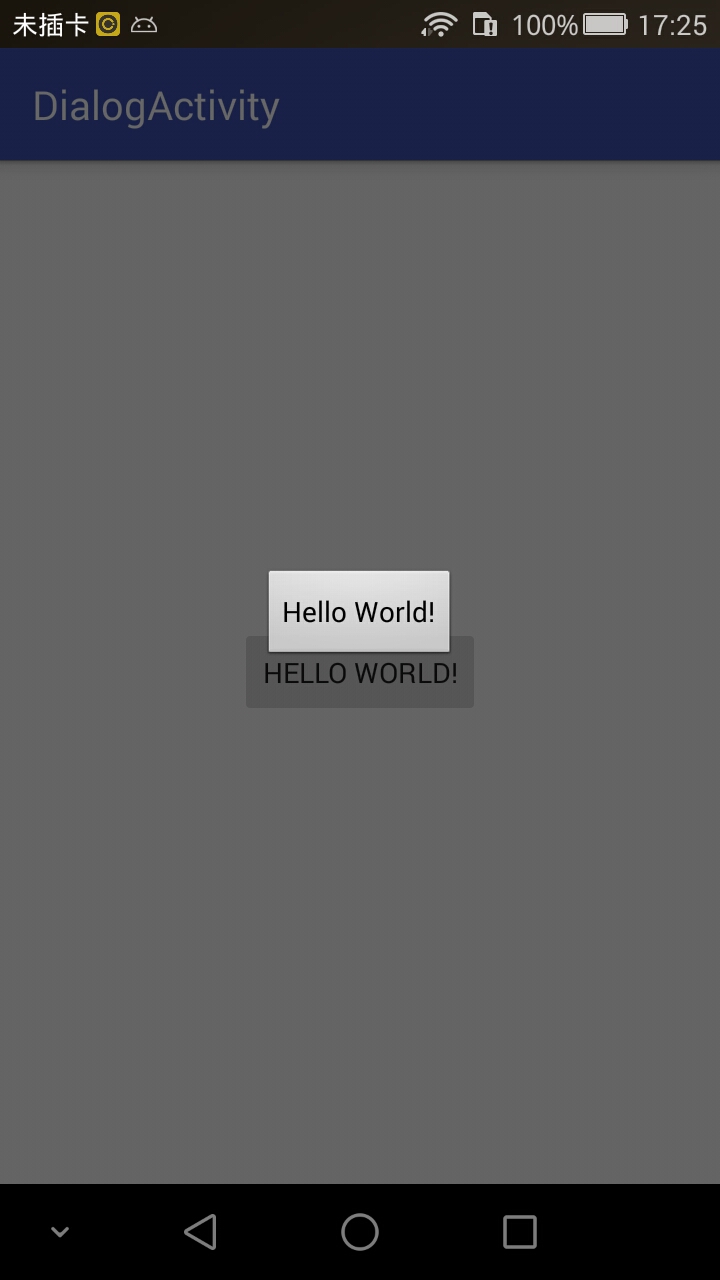
如果你想点击外部不消失的话 调用 setFinishOnTouchOutside(false);就可以了(注意:一定要在setContentView之前调用)